Plan:
To make this experimentation relate to my chosen novel (Coraline) and composite photography, I am going to attempt to create a double exposure image rendering a snow globe.
To do this, I am going to use the cyanotype print I make, along with an empty snowglobe. My plan is to use photoshop to make whatever I have printed look like it is inside/is a part of the snow globe.
The reason I have chosen to base my first piece of work off of a snow globe, is because the main character owns one and at one point in the book, Coraline’s parents get trapped inside it. Because of this, I am going to use a picture of an outside setting to put inside the snow globe, to signify things in real life (Coraline’s parents) being stuck inside it.
Cyanotype Print
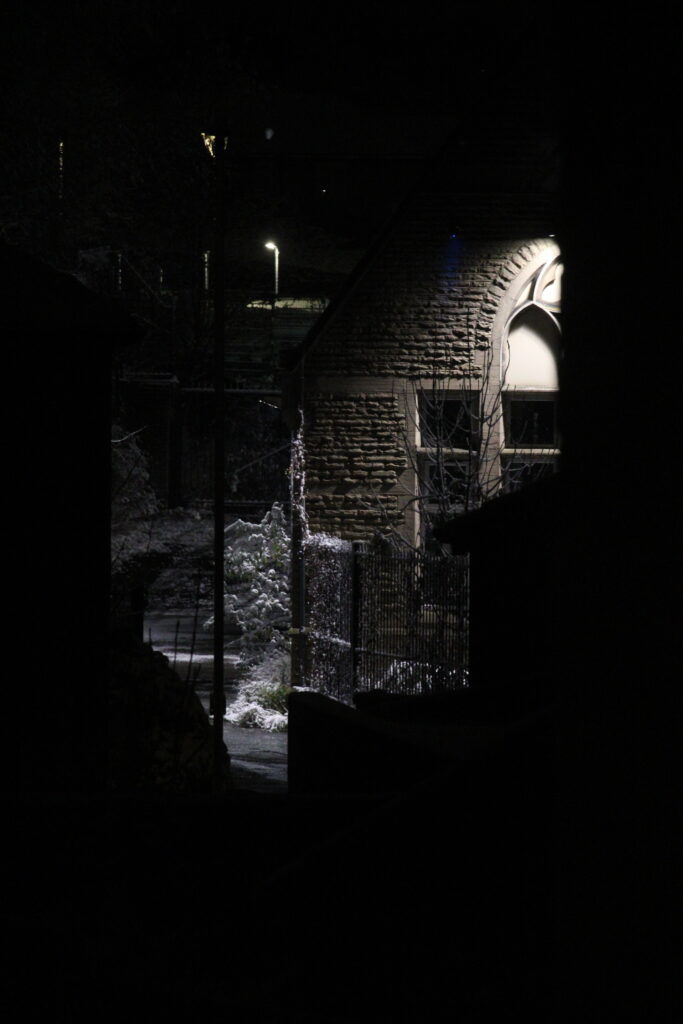
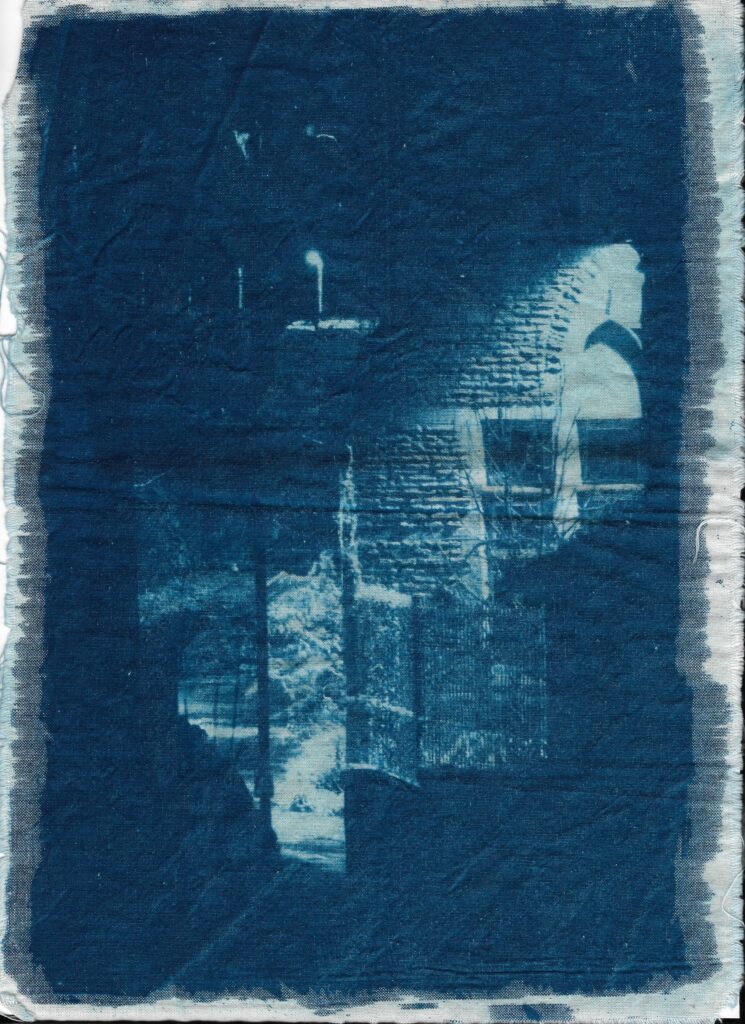
I decided to use a picture I took on a snowy night to create a cyanotype print of. My plan was to have everything that is black in this picture be blue in the print, so the snow on the tree and the light on the building was white.
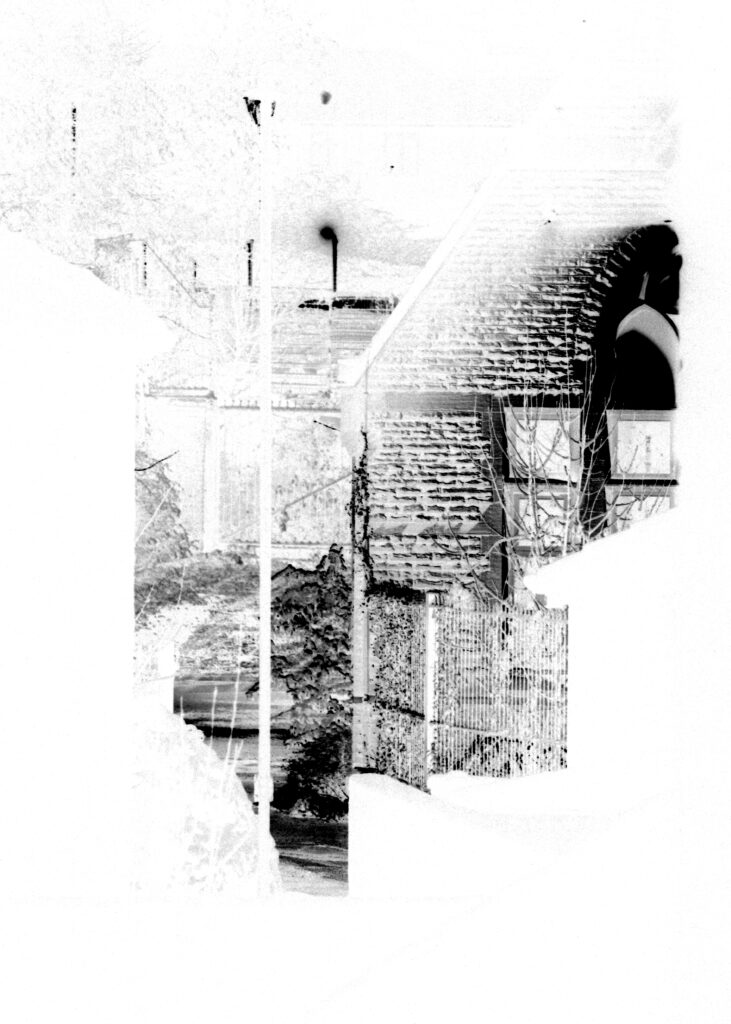
I started off using photoshop to make the image black and white, increase the contrast of the photo and adjust the levels. This turned the photo into a negative, which was then printed onto clear acetate.
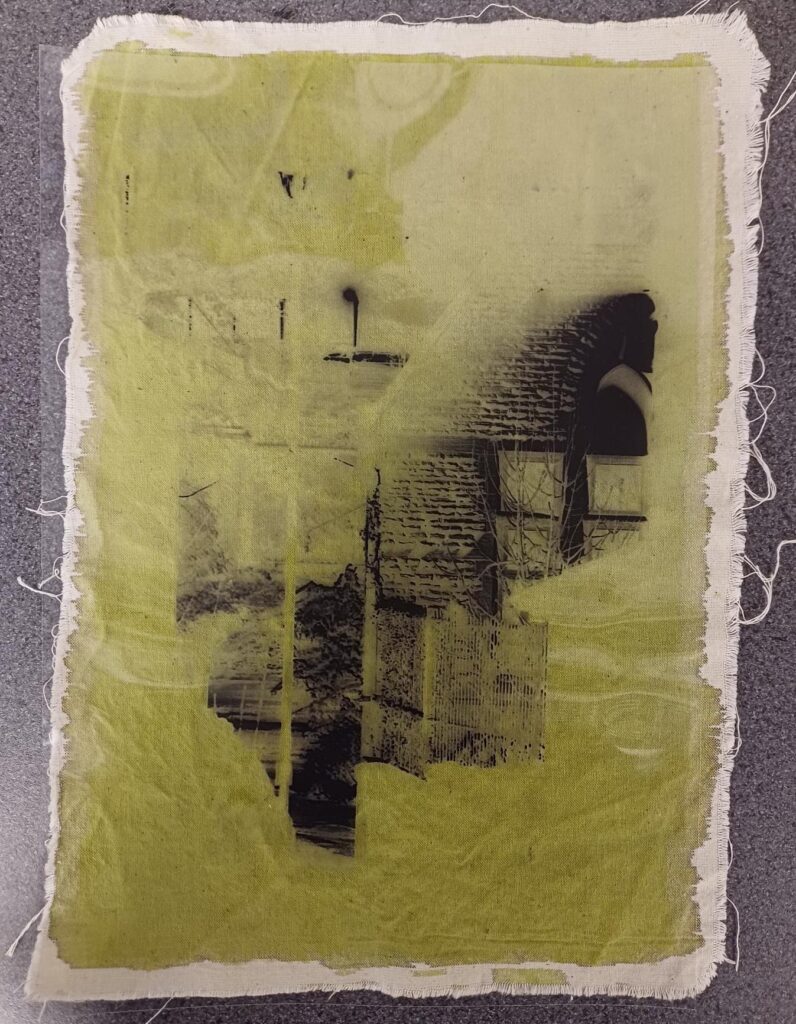
I then used a paintbrush to coat a rectangle of calico material with a formula made up of equal parts of cyanotype parts A and B, before using a blow dryer to completely dry it.
After it was dry, I laid the acetate print on top of the material and exposed it to artificial UV light for 5 minutes. Finally, I removed the acetate to rinse/wash the material multiple times in cold water before hanging it up somewhere to dry.